
Pen scanners at a glance
Pen scanners are compact handheld devices that capture printed text when you move the scanning tip across a line of writing. Depending on the model, they can convert text into editable digital content, read printed words aloud, translate text between languages, or combine several of these functions.
Not all pen scanners work the same way. Some are built for copying text into a computer, others help people read independently, and some focus on language translation. The three main categories are:
- OCR scanning pens capture printed text and convert it into editable digital text.
- Reading pens scan printed text and read it aloud with text-to-speech.
- Translation pens recognize printed text and translate it into another language.
There is a second split that matters just as much: connected pens work with a computer, tablet or phone, while standalone pens have their own display, processor and speaker. This guide explains the differences, compares the capabilities, covers practical uses, and helps you decide which type fits your needs.
1. What is a pen scanner?
A pen scanner is a portable electronic device that captures printed text when its scanning tip is moved across a line. It uses optical sensors and Optical Character Recognition (OCR) to identify characters and turn them into digital information.
Unlike a flatbed scanner, which captures a whole page, a pen scanner is built for targeted capture: you scan the word, sentence or line you need rather than digitizing everything around it.
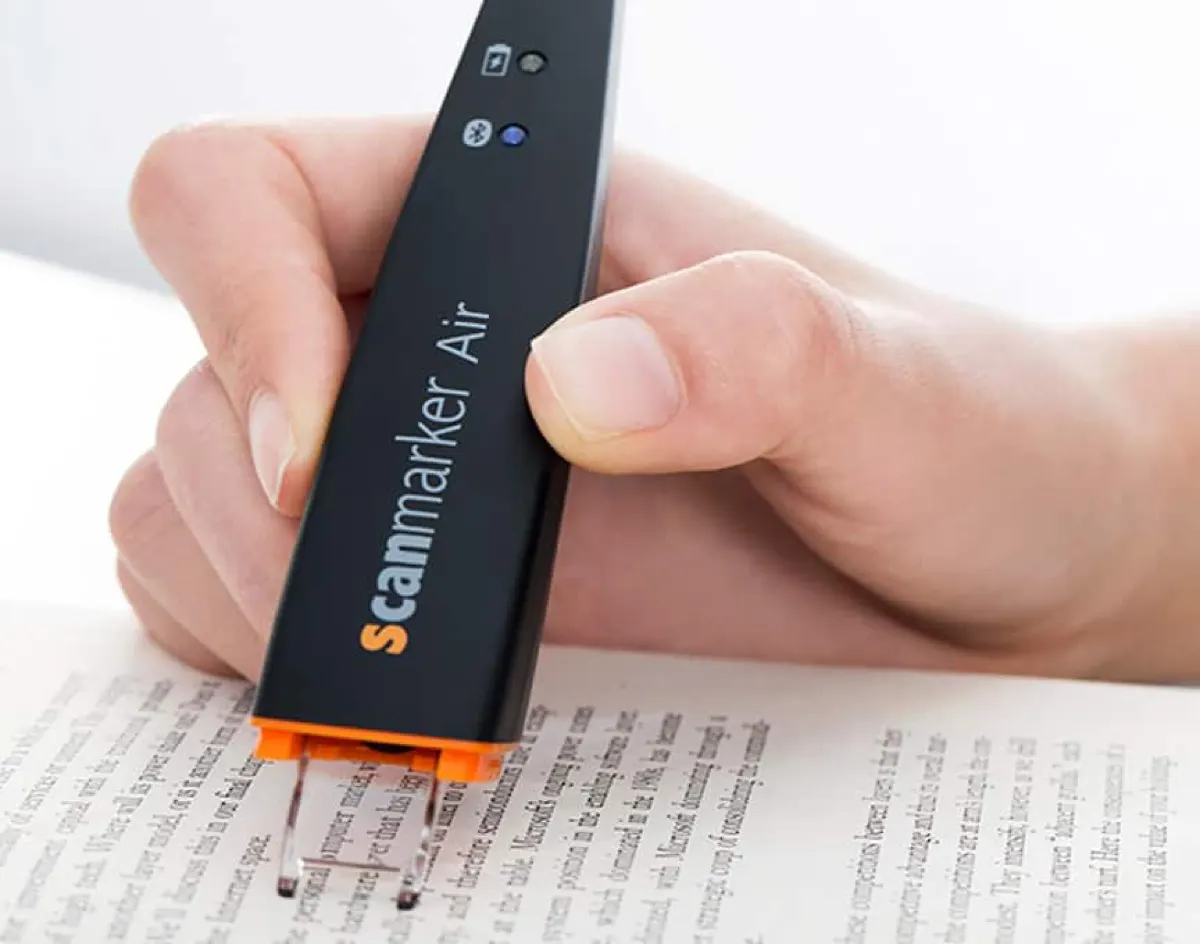
Depending on its features, a pen scanner can:
- Scan printed words and sentences.
- Convert scanned text into editable digital text.
- Transfer text to a computer or mobile device.
- Read printed content aloud.
- Translate recognized text into another language.
- Store scanned words or passages.
Important distinction: a pen scanner is not automatically a reading pen or a translation device. Those are separate product categories, although some modern devices combine them.
 Scanmarker AirConnected (Bluetooth)View on Amazon →
 IRISPen Air 8Standalone translation penView on Amazon →
2. How do pen scanners work?
Most modern pen scanners follow the same four-stage process: capture, recognize, process and deliver. For the full technical walkthrough, see our guide to how pen scanning works.
- 01CaptureAn optical sensor reads the printed characters under the tip as you glide along the line.
- 02RecognizeOCR identifies letters, numbers and symbols and converts them to machine-readable text.
- 03ProcessThe device displays, saves, sends, speaks or translates the recognized text.
- 04DeliverThe result appears in a document, on the pen screen, or as spoken audio.
Artificial intelligence is changing how we work.
Artificial intelligence is changing how we work.
An OCR pen might transfer the text to a document. A reading pen might speak the sentence through its speaker. A translation pen might show the translated result. OCR is the recognition technology underneath; it is not the same thing as the final function, and that distinction is essential when you compare scanning pens.
3. The three main types of pen scanners
Manufacturers often use the terms interchangeably, but OCR pens, reading pens and translation pens serve different purposes. Understanding the differences is the most important step in choosing the right device.
A. OCR pen scanners: scan and copy text
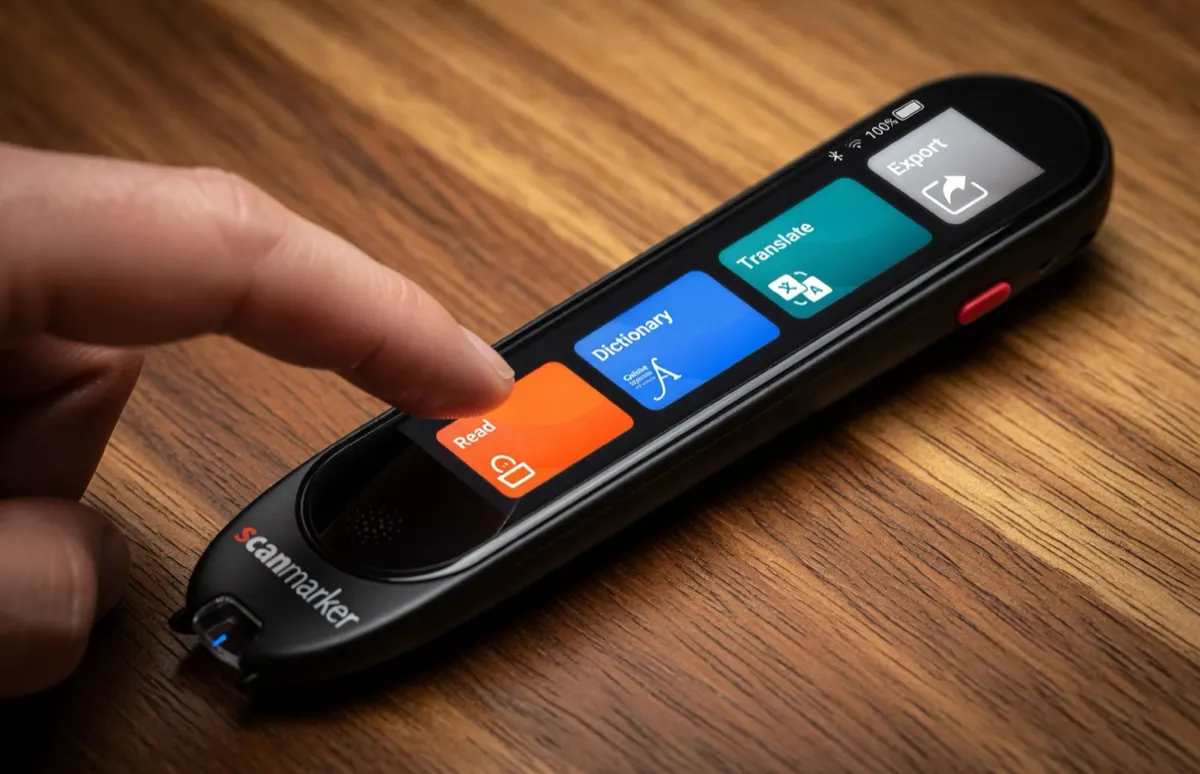
An OCR pen extracts printed text and converts it into editable digital content. Instead of typing a passage by hand, you scan the line and transfer the recognized text to a connected device.
- Scan individual words, lines and passages.
- Transfer text into Word, Google Docs, email and other apps, depending on software compatibility.
- Capture text from textbooks, documents and magazines.
- Support several OCR recognition languages, depending on the model.
Best for: students collecting quotations, professionals digitizing short passages, researchers, writers and editors, and anyone who wants to cut manual typing. An example is Scanmarker Air, which connects by Bluetooth and types recognized text into supported applications. See our OCR pens guide.
Limitation: an OCR pen is not automatically a reading pen. Text recognition and text-to-speech are separate capabilities, so check that the model and its software support reading aloud if that matters to you.
B. Reading pens: scan and listen
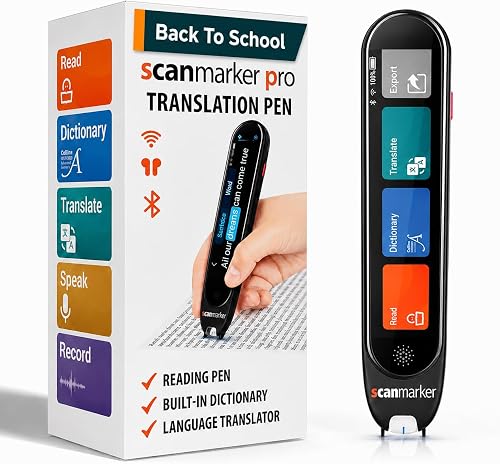
Reading pens make printed information accessible through audio. They combine OCR with text-to-speech (TTS): after you scan a word or sentence, the device speaks it. Many also include dictionaries, pronunciation help and vocabulary tools.
- Read scanned words and sentences aloud.
- Provide pronunciation support and word definitions.
- Show recognized text on a built-in screen.
- Offer different reading voices or speeds.
- Save scanned passages on supported models.
Best for: people with dyslexia or other reading difficulties, students who learn by listening, readers who want pronunciation help, and language learners. Examples include Scanmarker Pro and Max and IRISPen Reader 8; our C-Pen guide covers C-Pen Reader 3. See also reading pens.
Limitation: reading languages, OCR languages and translation languages are not necessarily the same. A device may recognize many languages but read aloud in fewer.
 Scanmarker ProStandalone touchscreenView on Amazon →
 Scanmarker MaxStandalone touchscreenView on Amazon →
 IRISPen Reader 8Standalone touchscreenView on Amazon →
C. Translation pens: scan and translate
Translation pens combine OCR with translation. They recognize printed text in one language and convert it into another, then show the result on a screen, speak it aloud, or both.
- Translate scanned words and sentences.
- Display original and translated text.
- Provide pronunciation and audio playback.
- Offer offline or online translation, depending on the device.
Best for: international travelers, foreign-language students, people reading books in another language, and multilingual professionals. An example is IRISPen Air 8, which is listed with offline OCR and 16 offline translation languages. See our translation pens guide.
Limitation: translation quality depends on recognition accuracy, language support, context and the translation engine. Do not treat a translated sentence as a reliable interpretation of complex technical, legal or medical material.
IRISPen Air 8Standalone translation penView on Amazon → boeleo Translation PenStandalone translation penView on Amazon →Scanmarker ProStandalone touchscreenView on Amazon →
4. OCR vs. reading vs. translation pens
This table summarizes the functional differences between the three categories. It is a general comparison: features vary by product, so verify them against the manufacturer's documentation.
| Feature | OCR pen | Reading pen | Translation pen |
|---|---|---|---|
| Scan printed text | Yes | Yes | Yes |
| Recognize text with OCR | Yes | Yes | Yes |
| Convert text to editable text | Core function | Model-dependent | Model-dependent |
| Read text aloud | Optional | Core function | Often available |
| Pronunciation support | Optional | Common | Model-dependent |
| Translate text | Optional | Model-dependent | Core function |
| Built-in dictionary | Optional | Common on some models | Model-dependent |
| Built-in display | Model-dependent | Common | Common |
| Internal storage | Model-dependent | Model-dependent | Model-dependent |
| Connects to external devices | Model-dependent | Model-dependent | Model-dependent |
Which type should you choose?
- Choose an OCR pen if your main goal is copying printed text into documents, notes or research files.
- Choose a reading pen if you want printed words read aloud with pronunciation or vocabulary help.
- Choose a translation pen if you regularly meet printed text in unfamiliar languages.
If you need several functions, look for a multifunction pen that combines OCR, reading and translation instead of assuming every pen does all three. The side-by-side comparison shows each pen's verified specs.
5. Connected vs. standalone pen scanners
Some models depend on an external computer or smartphone, while others contain the hardware and software to operate independently.
| Consideration | Connected | Standalone |
|---|---|---|
| External device | Required | Not required for core functions |
| Built-in screen | Usually unnecessary | Typically included |
| Text transfer | Direct to the connected device | May export to an external device |
| Internal processing | May depend on companion software | Built into the pen |
| Storage | Often external or app-based | May include internal storage |
| Reading aloud | Model-dependent | Model-dependent |
| Translation | Model-dependent | Model-dependent |
| Portability | High | High, but often larger |
| Best use | Digital text extraction | Independent reading and multifunction use |
Connected pen scanners
Connected scanners communicate with another device over Bluetooth, USB or a compatible wireless link. The scanned text goes to the computer, tablet or phone, where the companion app processes or displays it.
- Advantages: convenient transfer into existing apps, useful for research and editing, usually compact and light, and often able to type directly into supported applications.
- Disadvantages: they need a compatible external device, may depend on specific apps, and some functions need an internet connection.
Standalone pen scanners
Standalone scanners include their own processing hardware, display and speaker, so they can scan, recognize, display, read aloud, translate and save text on the device itself.
- Advantages: work without a phone or computer for supported functions, include a screen, may have a speaker or headphone support, and often combine several functions.
- Disadvantages: more hardware and features to evaluate, screen size and interface affect usability, battery and storage vary, and some advanced features still need Wi-Fi.
Scanmarker AirConnected (Bluetooth)View on Amazon →Scanmarker ProStandalone touchscreenView on Amazon →Standalone does not mean offline
Buying advice: do not confuse standalone operation with complete offline functionality. A standalone device may still need the internet for certain translation, dictionary, sync or software features. Check which languages work offline before you buy.
6. What can you use a pen scanner for?
Pen scanners help in several everyday situations. Their value depends on matching the device's capabilities to the task.
Education and studying
Students can use OCR pens to extract quotations, definitions and passages from textbooks, and reading pens to hear instructions and study material read aloud. Typical uses include collecting references, building digital study notes, extracting vocabulary and listening to scanned passages. See pen scanners for students and for schools.
Dyslexia and reading accessibility
Reading pens can make printed information more accessible for people with dyslexia and other reading difficulties. Text-to-speech offers another way to access written material, and depending on the device, pronunciation, definitions, adjustable speech speed and word-by-word reading can help further. A reading pen is an assistive tool, not a treatment for dyslexia. See pen scanners for dyslexia.
Language learning
A multifunction device lets learners scan an unfamiliar word, check its spelling, hear its pronunciation, read its definition and translate it, which is a convenient way to explore vocabulary in context. See translation pens for language learners.
Business and professional research
Professionals can capture selected passages from printed reports, contracts and reference books: quotations, short passages, report material and searchable notes. For large-scale digitization, a conventional document scanner or OCR software is more appropriate. See scanning pens for work.
Travel and international reading
Translation pens can help with printed menus, signs, product labels, travel guides and instructions. Always check which languages work offline and which need a connection.
7. What to look for when buying a pen scanner
A device can list dozens of languages and still be wrong for your workflow. These are the criteria that matter most. For a longer walkthrough, read the buying guide.
1. OCR accuracy
Look at supported recognition languages, minimum and maximum font sizes, supported fonts and layouts, and performance on the materials you actually use. Test or research with your own documents.
2. Language support
Check three separate lists, because they can differ considerably:
- OCR languages: the languages the device can recognize.
- Text-to-speech languages: the languages it can read aloud.
- Translation languages: the languages it can translate between.
3. Scanning speed
Check how quickly text is captured, whether it handles single words or full lines, and whether continuous scanning is supported. A fast scanner is not necessarily an accurate one.
4. Connectivity and compatibility
Confirm Windows, macOS, iOS and Android support, plus Bluetooth, USB or browser-based software and the applications you need. If you work mainly on a laptop, confirm compatibility before buying.
5. Reading and audio features
For a reading pen, check available voice languages, pronunciation quality, adjustable speed, audio output and headphone support, text highlighting, and word versus sentence reading.
6. Translation capabilities
Check supported source and target languages, offline and online availability, sentence-level translation and audio playback. A device that supports 100 OCR languages cannot be assumed to translate all 100.
7. Battery and portability
Look at battery life, charging method and time, weight, dimensions, and whether a carrying case is available. For daily study or travel, these can matter as much as OCR.
8. Storage and privacy
Standalone devices may save scans internally, while connected models may send text to companion apps or cloud services. Check storage capacity, export formats, cloud processing, data retention and offline processing, especially for confidential documents.
9. Price and total cost
Compare total ownership cost: device price, included accessories, software subscriptions, translation fees, replacement parts and warranty. A simpler OCR pen can beat an expensive multifunction device if you only need to copy text. Prices change often, so check the live Amazon listing.
8. Pen scanner vs. smartphone scanning apps
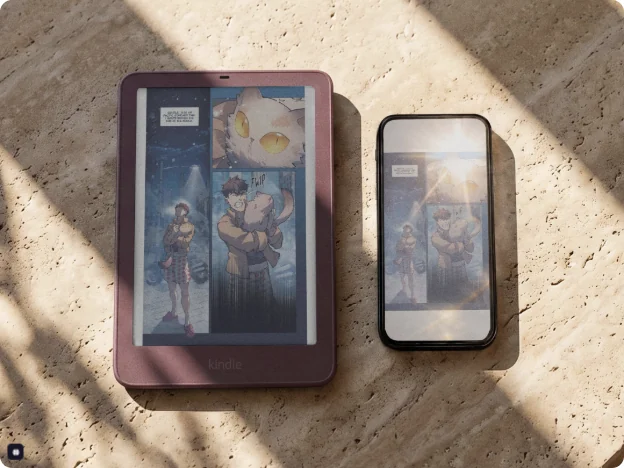
Both options can recognize printed text, but they offer different workflows. A pen scanner is better when you frequently extract single lines or passages: it gives you a dedicated workflow without photographing and cropping each passage. A phone is often better for whole pages, receipts, forms and multi-page documents, and it avoids buying another device. Neither is universally better. Our pen scanner vs. phone guide goes deeper.
| Feature | Pen scanner | Smartphone app |
|---|---|---|
| Text capture | Targeted line scanning | Camera-based capture |
| Whole-page scanning | Model-dependent | Common |
| Portability | Dedicated handheld device | Uses your existing phone |
| OCR | Model-dependent | App-dependent |
| Text-to-speech | Reading models | App and operating-system dependent |
| Translation | Translation models | App-dependent |
| Document digitization | Limited on many pens | Often more suitable |
| Continuous text capture | Line by line on many models | Camera and app workflow |
| External hardware | Dedicated scanner | Usually unnecessary |
9. Can pen scanners read handwriting?
Generally no. Traditional pen scanners are designed for printed text rather than handwriting. Their OCR is optimized for standardized characters, fonts and printed layouts, while handwriting varies in shape, spacing, alignment and style.
Some devices or software platforms may add handwriting recognition, but never assume it from a standard OCR specification. If it is essential, look for a product that explicitly supports it.
10. How accurate are pen scanners?
Accuracy depends on print quality, font size and style, text contrast, scanning speed and angle, user technique, language and character complexity, and the device's hardware and OCR software. Clear, standard print is easier to recognize than small, distorted, low-contrast or unusually formatted text. For fixes, see improving pen scanner accuracy.
| Challenge | Potential effect |
|---|---|
| Very small fonts | Missed or misrecognized characters |
| Curved book pages | Distorted text capture |
| Unusual fonts | Incorrect character recognition |
| Low contrast | Recognition errors |
| Columns and tables | Incorrect reading order |
| Skewed scanning | Missing or distorted words |
| Complex symbols | Character substitution |
Hold the pen level and glide steadily along the line.
How to improve scanning results
- Hold the pen at the recommended scanning angle.
- Move it smoothly across the line.
- Follow the manufacturer's scanning direction.
- Keep the tip aligned with the text.
- Avoid scanning across several lines at once.
- Check the recognized text before using it.
- Verify important numbers, names and technical terms.
OCR is a recognition process, not a guarantee of perfect transcription.
11. Common mistakes when buying a pen scanner
- Assuming every pen scanner reads aloud. OCR scanning and text-to-speech are different functions; confirm audio reading is explicitly supported.
- Confusing OCR languages with translation languages. A device might recognize 40 languages but translate far fewer.
- Assuming standalone means fully offline. Some devices still need the internet for advanced translation, dictionaries or extra services.
- Ignoring software compatibility. A scanner may support your operating system but need a particular app for some functions. Check at the software level, not just the hardware level.
- Buying more features than you need. If you only want to copy text into Word, a dedicated OCR pen may be enough.
- Assuming everything can be scanned. Font size, layout, paper quality and technique all limit results; check the manufacturer's supported specifications.
12. How to choose the right pen scanner
Use your primary requirement to narrow the category, then confirm that the specific model supports every feature you need.
| If your main goal is to… | Start with | Prioritize |
|---|---|---|
| Copy printed text into digital documents | An OCR pen (usually connected) | Recognition quality, direct text transfer, software compatibility, supported languages |
| Listen to printed text read aloud | A reading pen (usually standalone) | Text-to-speech, pronunciation, dictionary, reading support |
| Translate printed text into another language | A translation pen | Supported language pairs, offline translation, audio playback |
| Use several functions in one device | A multifunction standalone pen | Verified feature list, battery, screen, offline support |
Want a personalized answer? Try the three-question Pen Finder on the home page, or see the full best pen scanners of 2026.
13. Final verdict: which pen scanner is right for you?
Pen scanners make printed information easier to capture, understand and use, but the best device is the one that does what you actually need.
- For digital text extraction: choose an OCR pen. Prioritize recognition quality, connectivity and direct text transfer.
- For reading and accessibility: choose a reading pen. Prioritize text-to-speech, pronunciation and reading support.
- For multilingual reading and translation: choose a translation pen. Prioritize language combinations and offline functionality.
- For multiple functions: choose a multifunction standalone pen if you need scanning, reading, translation and independent operation.
The key distinction: OCR captures text, reading pens make text audible, and translation pens help you understand text in another language. Once you understand that, choosing a pen scanner gets much easier.
Scanmarker AirConnected (Bluetooth)View on Amazon →Scanmarker MaxStandalone touchscreenView on Amazon →IRISPen Air 8Standalone translation penView on Amazon →Sources and further reading
Product examples draw on manufacturer documentation. Specifications and supported features can change between models, software versions and regions, so verify current documentation before making product-specific decisions. This guide describes manufacturer claims; it does not present them as independently tested results.
- Scanmarker Air: official product information
- C-Pen Reader 3: official product information
- IRISPen Air 8: official specifications
- IRISPen Air 8: translation instructions
- IRISPen Reader: OCR and text-to-speech support
Keep reading: how pen scanning works, OCR pens, reading pens, translation pens, pen scanners for students, reading pens for dyslexia, pen scanner vs. phone, and the buying guide.