How Pen Scanners Help with Dyslexia
Pen scanners for dyslexia use built-in optical character recognition (OCR) and text-to-speech technology to instantly read printed text aloud, lifting the decoding load so readers can focus on comprehension.
Reading difficulties linked to dyslexia often make it hard to decode text quickly and accurately. A reader pen removes that barrier by doing the decoding instantly. The user scans a word or sentence, hears it read aloud, and can keep pace with the material rather than getting stuck. This builds reading confidence alongside comprehension — the two tend to improve together when the frustration is removed.
Many reader pens also include built-in dictionaries, translation support, and the ability to store or export scanned text. For students with Individualized Education Programs (IEPs), 504 plans, or EHCP provision, they support greater independence during lessons, homework, and formal examinations.
Popular Pen Scanners & Reading Device Types
Several specialized devices dominate the assistive reading category, each serving different clinical, educational, and testing environments:
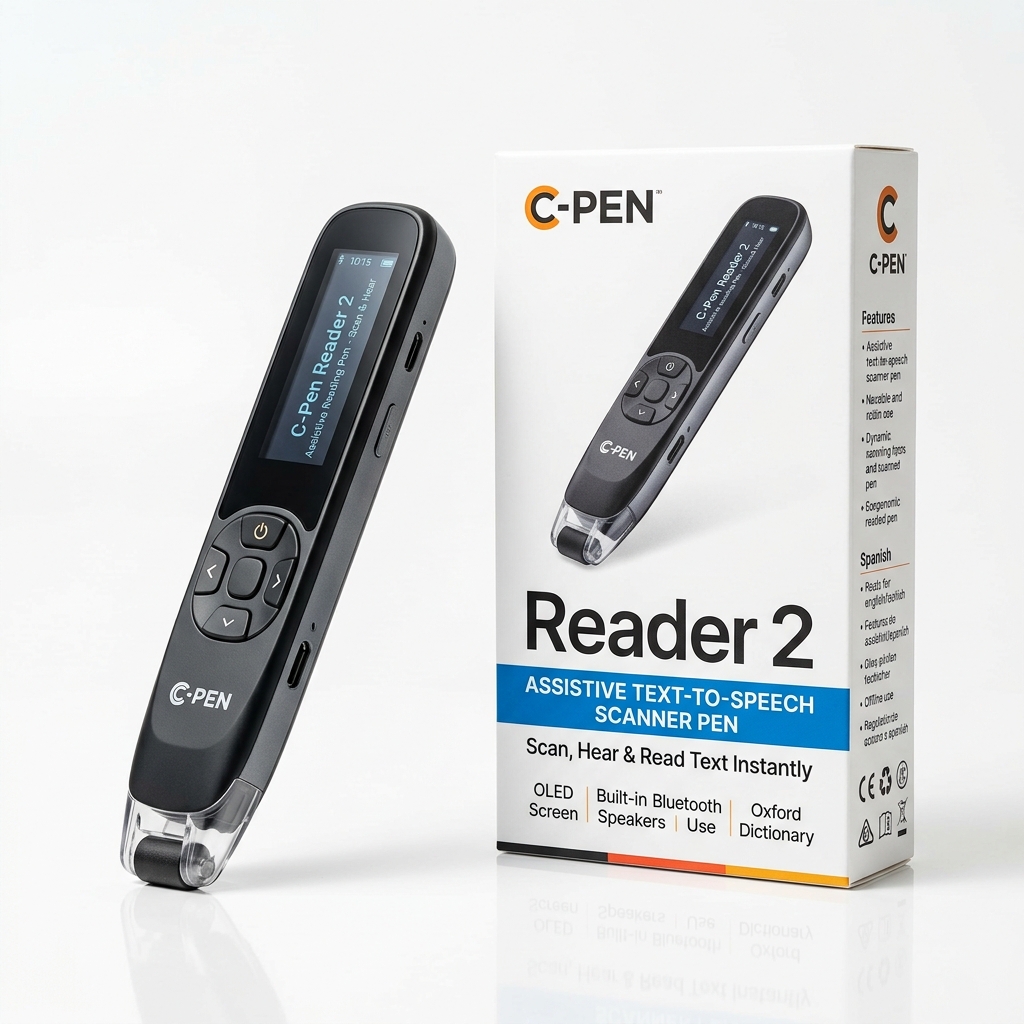
• C-Pen Reader 2: An everyday reading pen featuring a built-in dictionary (Cambridge Dictionary), voice recorder, and text storage. It is ideal for homework, revision, and independent reading at home or in class. It works as a standalone device with no Wi-Fi or software needed, making it reliable in any setting — from classrooms to everyday home use.
• C-Pen Exam Reader 2: A specialized, approved exam-access tool. It provides text-to-speech functionality but contains no dictionaries, storage, or Wi-Fi, making it legal for use in formal high-stakes exams (including GCSE, A Level, SAT, and ACT assessments).
• Scanmarker Air & Max: Scanmarker Air is a wireless pen scanner that connects to computers or mobile devices via Bluetooth. It reads text aloud in real-time through an app and allows users to easily scan, edit, and export text directly into programs like Microsoft Word or Google Docs. Scanmarker Max adds an on-device color touchscreen, standalone reading, and an Exam Lock mode.
• IRISPen Reader 8: An entry-level portable scanning tool designed to capture lines of text, read them aloud, and transfer them instantly to digital formats.
• RocketPen Reader & Exam: Dedicated assistive reading pens for dyslexia and learning support, offering robust reading support with approved exam-locked models.
• OrCam Learn & Read 3: Advanced handheld reading tools that capture full pages or targeted paragraphs hands-free for readers needing higher-level accessibility support.
Direct Comparison: Top Dyslexia Reading Pens
Compare the leading assistive reading pens by their primary purpose, exam legality, and audio capabilities:
| Pen Scanner Model | Key Features | Connectivity | Exam Compliant? | Best Used For |
|---|---|---|---|---|
| C-Pen Reader 2 | Cambridge Dictionary, voice recorder, text-to-speech, text storage | Standalone (Offline) | No (Has storage & dictionary) | Everyday classroom study, homework & reading independence |
| C-Pen Exam Reader 2 | Text-to-speech audio, zero storage, no dictionaries, high-contrast OLED | Standalone (Offline) | Yes (JCQ, SAT, ACT approved) | Formal exams & standardized testing without a human reader |
| Scanmarker Max | Touchscreen display, offline TTS, multilingual translation, Exam Lock | Standalone + USB/Bluetooth | Yes (With Exam Lock mode) | Classroom reading, exam accommodations & bilingual learners |
| Scanmarker Air | Wireless OCR, real-time audio playback, direct export to Word/Docs | Bluetooth (Laptop/Mobile) | No (Requires device) | High school and college research, study notes & summaries |
| IRISPen Reader 8 | Line capture, real-time TTS, multi-language speech conversion | Standalone / USB | Check local rules | Entry-level reading support and quick line extraction |
| RocketPen Exam | Approved reading pen, instant audio playback, zero internet or storage | Standalone (Offline) | Yes (JCQ approved) | GCSE, A-Level, and SATs formal test accommodation |
Key Features to Consider Before Buying
When selecting a reading pen for someone with dyslexia, evaluate these essential criteria:
1. Text-to-Speech Audio Quality & Headphone Support
Converts printed words into clear synthetic speech via a built-in speaker or connected 3.5mm/Bluetooth headphones. Look for adjustable reading speed so learners can slow down for complex phonemes or speed up as comprehension improves.
2. Exam Compliance & Testing Regulations
Ensure you check local school or board regulations; standard reader pens with storage are typically banned during tests, whereas exam-specific models (such as the C-Pen Exam Reader 2 or RocketPen Exam) are permitted in GCSE, A Level, and other JCQ-regulated assessments when used as the candidate's normal way of working.
3. Dictionary & Translation Support
Some models offer instant definition lookups or multi-language translation, which are great for daily study and English Language Learners (ELL) but must be disabled on exam-approved versions.
4. Ergonomics & Ease of Use
Most pens support left- or right-handed settings by simply rotating or adjusting the display orientation in the menu. Lightweight devices prevent hand strain during extended reading sessions.
Explore Reading Pens for Dyslexia on Amazon
Find top-rated reading pens for dyslexia with Prime shipping and manufacturer warranty on Amazon: