Assistive Reading Technology in the Modern K-12 Classroom
Classroom reading demands escalate dramatically between elementary, middle, and high school. When students face decoding obstacles due to dyslexia, ADHD, language processing differences, or English language learning, their academic progress across science, history, and literature often stalls.
Pen scanners transform classroom accessibility by providing immediate, portable text-to-speech support directly at the student’s desk. Instead of pulling a student out of class for specialized intervention or relying on a human paraprofessional to read assignments aloud, scanning pens grant students immediate autonomy over printed curriculum materials.
Meeting IEP & Section 504 Accommodation Requirements
Under the Individuals with Disabilities Education Act (IDEA) and Section 504 of the Rehabilitation Act, schools are legally mandated to provide reasonable accommodations that grant students equal access to standard educational materials.
Common accommodation language that supports pen scanner deployment includes "oral presentation of printed text," "access to text-to-speech assistive technology," and "bimodal reading support for independent seatwork."
By utilizing standalone reading pens, schools fulfill these accommodations without creating student self-consciousness or classroom disruption, fostering self-advocacy and academic confidence.
IEP Tip: When writing accommodations into an IEP or 504 plan, specify "student access to a handheld text-to-speech scanning pen with headphones for printed worksheets, textbooks, and non-reading evaluations."
Student Privacy, FERPA, COPPA & Offline Classroom Security
School IT departments and district compliance officers face strict scrutiny regarding student data privacy under FERPA (Family Educational Rights and Privacy Act) and COPPA (Children’s Online Privacy Protection Act). Many consumer smartphones and cloud-connected apps capture voice audio, store student scans on external servers, or present Wi-Fi security vectors.
Leading educational reading pens—such as the Scanmarker Max and IRISPen Reader 8—operate completely offline. They contain zero cloud tracking, collect no personal identifying information (PII), require no student email logins, and do not connect to external networks during daily classroom usage. This self-contained architecture ensures 100% compliance with district security protocols.
Classroom Device Selection Matrix: Hardware Comparison for Schools
When selecting devices for classroom sets, school libraries, or resource rooms, consider the operational tradeoffs between standalone audio readers and computer-connected highlighters:
| Model | Primary Classroom Role | Connectivity | Audio Output | School Suitability |
|---|---|---|---|---|
| Scanmarker Max | Independent reading & dyslexia support | Standalone (No PC needed) | Built-in speaker & 3.5mm jack | Ideal for elementary & middle school desks |
| Scanmarker Max (Amazon listing with phonics cards) | Early literacy & phonics intervention | Standalone + 200 Phonics Cards | Speaker & 3.5mm jack | Best for Title I reading labs & K-3 reading recovery |
| C-Pen Reader 3 | High school reading & vocabulary lookup | Standalone | Speaker & 3.5mm jack | Excellent for independent high school study |
| Scanmarker Air | Digital research & Google Docs note-taking | Bluetooth / USB to Chromebook/PC | Host device audio | Best for high school computer labs & journalism |
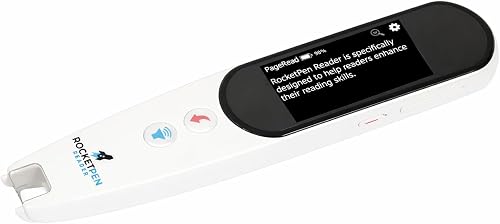
| Rocket Pen Reading Tutor | Decoding support for early readers | Standalone | Built-in audio | K-3 reading intervention and resource rooms |
Managing Classroom Logistics: Batteries, Hygiene & Headphones
Successful school-wide rollouts depend on simple classroom logistics. Best practices from experienced district assistive technology specialists include:
1. Universal 3.5mm Headphone Compatibility: Ensure reading pens feature standard 3.5mm headphone jacks so students can use standard district-issued wired headphones, preventing ambient noise in quiet classrooms.
2. Dedicated Charging Stations: Implement 5-port or 10-port USB charging docks in resource rooms so devices remain powered throughout the 6-to-8 period school day.
3. Optical Tip Hygiene: Optical scan windows should be inspected weekly and cleaned with dry microfiber cloths or isopropyl alcohol wipes to remove graphite and paper dust.
Funding District Deployments: Title I, IDEA, ESSER & EdTech Grants
School districts rarely purchase assistive reading technology out of general operational budgets. Dedicated state and federal grant mechanisms are specifically allocated for reading technology:
IDEA Part B Assistive Technology Grants: Federal funds directly earmarked for devices and services that assist students with disabilities in achieving IEP goals.
Title I, Part A School Improvement Funds: Targeted assistance for schools serving high percentages of economically disadvantaged children to boost foundational reading proficiency.
State Literacy & Dyslexia Microgrants: Many state departments of education provide competitive innovation grants for school libraries and special education departments investing in evidence-based literacy hardware.
School District Procurement & Reading Network Resources
For specialized district purchase orders, multi-unit educational discounts, and parent-teacher advocacy materials, explore our dedicated network resources:
- Scanmarker for Schools — Official district and school procurement portal for volume quotes, vendor onboarding, and tax-exempt purchasing.
- PenScan for Schools — Detailed classroom curriculum integration guides, pilot programs, and IEP accommodation templates.
- Pen for Dyslexia — Parent and family advocacy resources for securing assistive reading pens in IEP meetings.
- Reading Pen for Dyslexia Guide — In-depth breakdown of auditory decoding and comprehension mechanics.
- C-Pen Reading & Learning Guide — Comprehensive comparison of Reader 3 and Exam Reader 2 devices in educational environments.